


RuneLite – Chat Filter
If you setup this filter properly you can almost completely eliminate spam chat.
Instructions
- Change your Chat Filter settings to reflect the image. The Filtered Regex code is in this article below. Warning: The Repeat filter will remove repetitive messages from players. This can be a problem in ToA.

Detailed instructions
- Open the RuneLite configuration menu.

- Click on the configuration button.

- Search for and enable the filter plugin from the built-in RuneLite plugins.
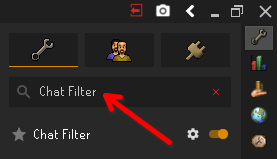
- Click the Chat Filter plugin settings button.
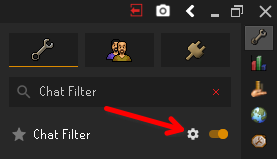
- Click the Filter Lists text.

- Paste the code located at the bottom of the article in the Filtered Regex text box.

- Change the Filter type drop-down to Remove Message.

- Check the Collapse Player Chat checkbox.

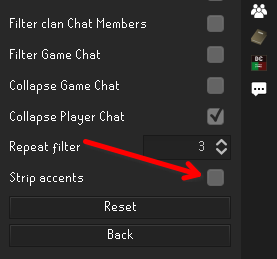
- Verify Strip accents is unchecked.
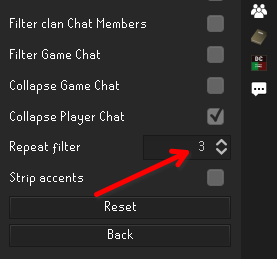
- Optional: Change Repeat filter to 3. This can lead to missed calls in ToA monkey room chat.
Additional information
([^\w\d\s\.].*){3,}
(buy|buying|sell|giveaway).*(\d+\s*(m|b)|\d+%.*more)
C\W*(0|\(\))\W*M
(O|0|\(\))\W*r\W*g
finally.*maxed.*youtube.*
\d+.*(M|mil).*y.*o.*u.*t.*u.*b.*e
.+\..+/.+
\[.*\]